See how much AI usage you have left.

Quota tracks your limits across the AI coding tools you use, in one place. It comes as a desktop app, a VS Code extension, a CLI and a Herdr plugin.

Windows and Linux · Free and open source

Supported providers

  • Claude Code
  • Codex
  • GitHub Copilot
  • Cursor
  • Antigravity
  • Kiro
  • Grok
  • OpenCode Go
What each one tracks

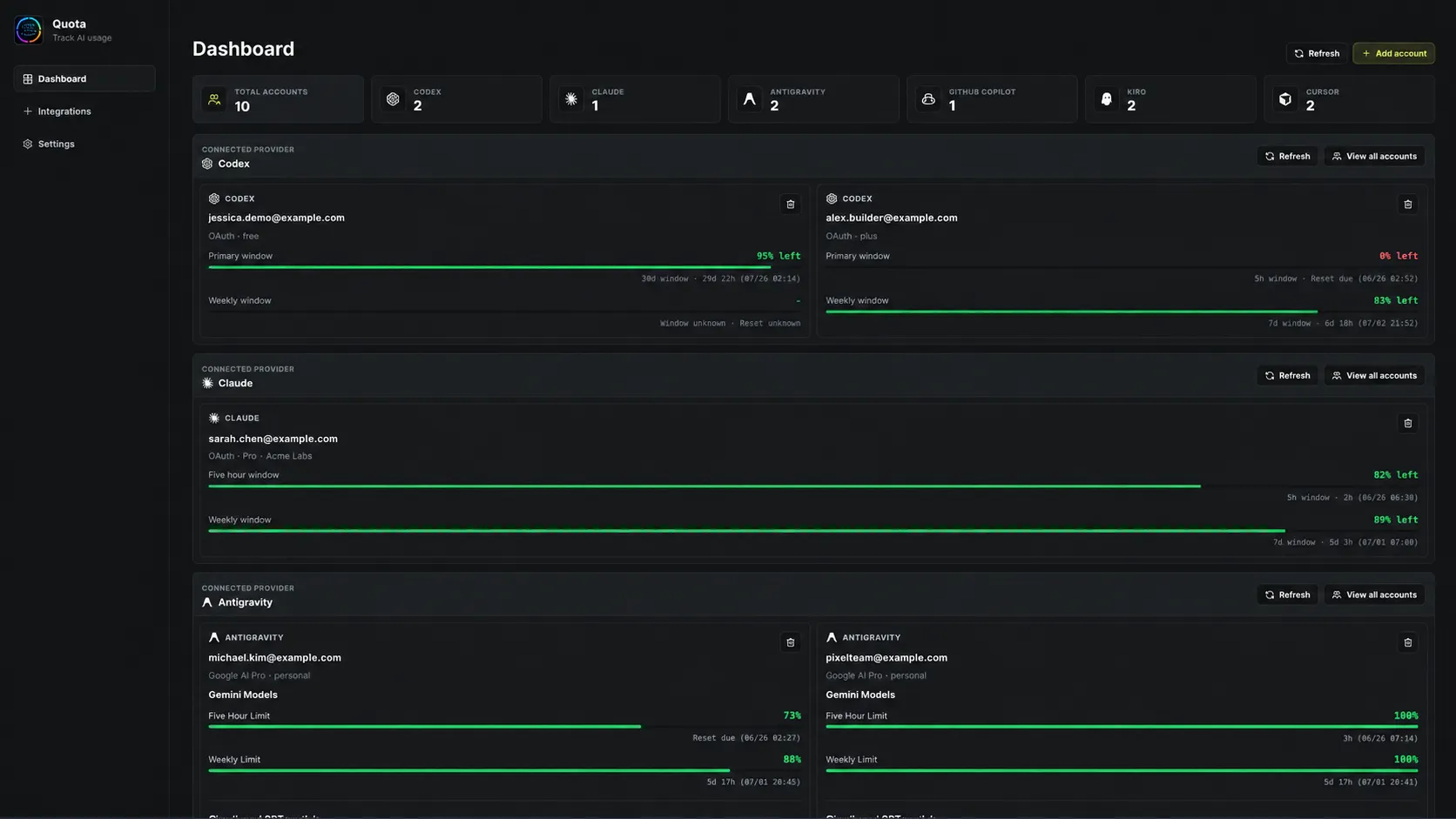
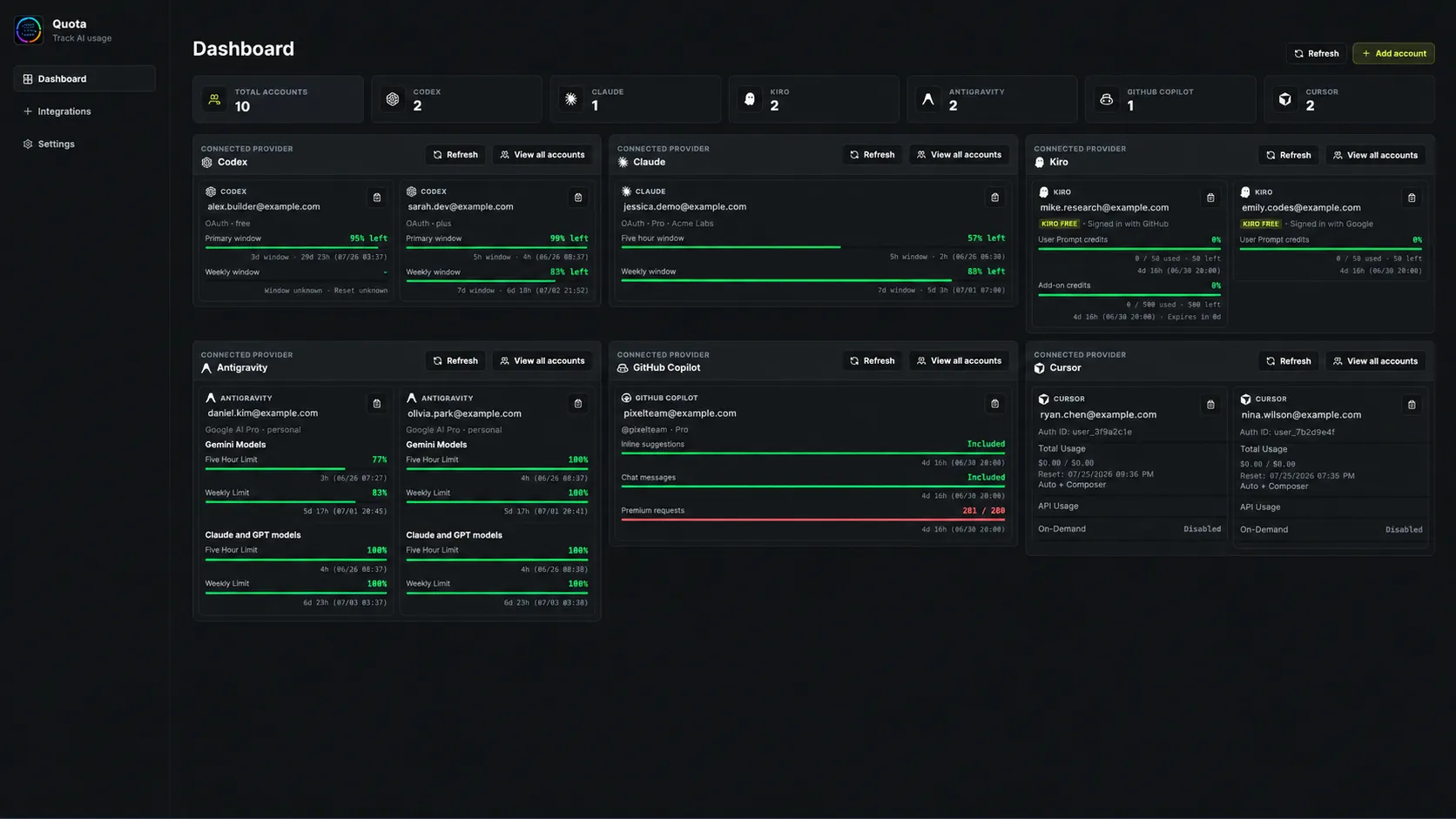
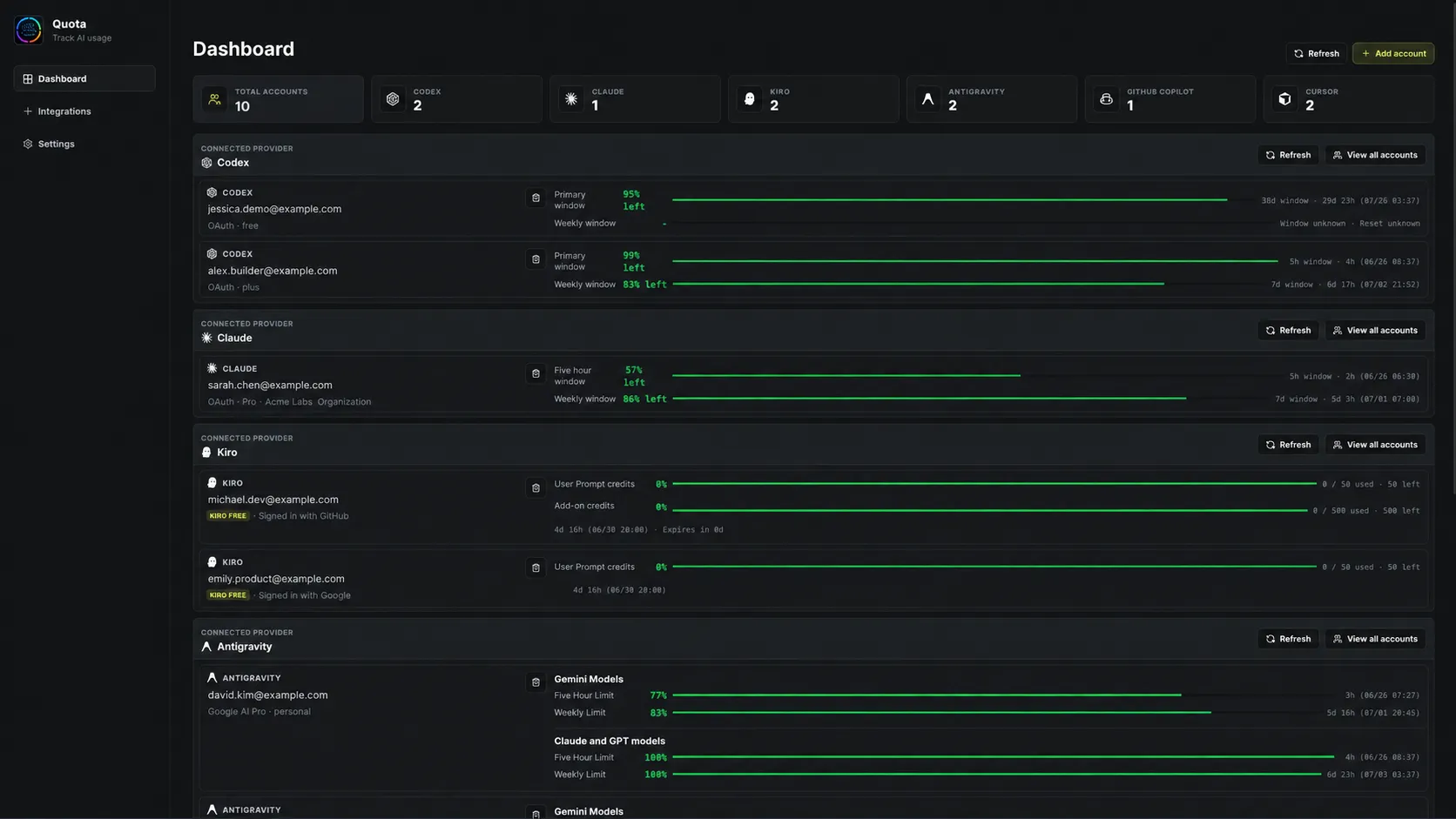
Every account, one dashboard

Quota dashboard in the default layout

Use the one that fits how you work

Desktop app

The full dashboard. Connect as many accounts per provider as you want and keep an eye on them from the tray.

  • Default, compact and list layouts
  • Pin the accounts you care about to the dashboard
  • Tray menu with a usage line for every account
  • Low-quota notifications and auto refresh, both opt-in
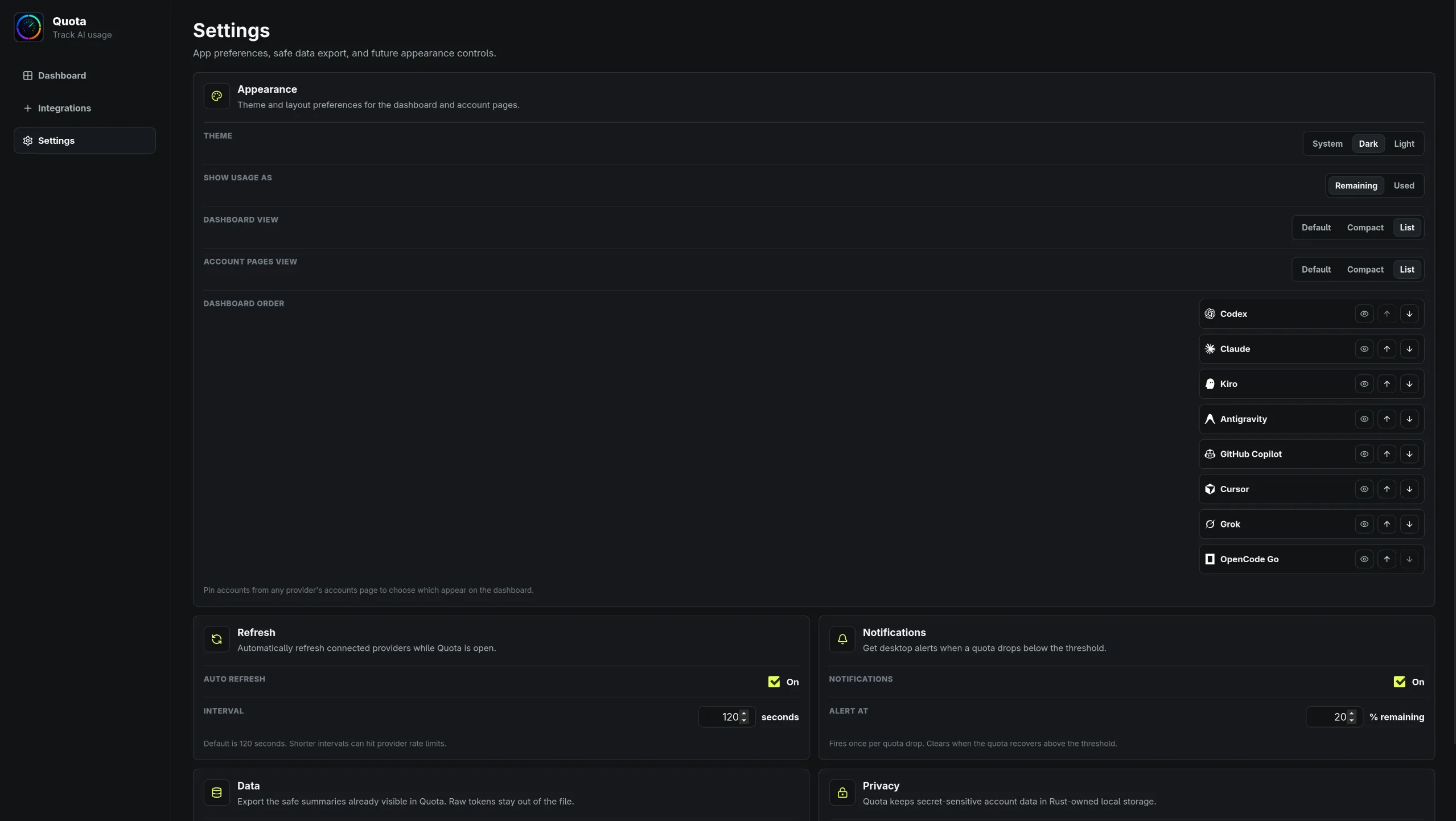
Quota settings with theme, layout and dashboard order controls

VS Code extension

A Quota button in your status bar and a panel with every quota you've connected. Works in VS Code and Open VSX editors like Antigravity and Kiro.

  • Pin specific quotas next to the status bar button
  • Panel resizes from one column to several
  • Tokens stay in VS Code's SecretStorage
The Quota panel inside VS Code
The Quota status bar button with pinned quota tracks

quota-cli

Prints your usage in the terminal. It reads the credentials your agent CLIs already saved, so there's nothing to sign into, and it never writes to them.

cargo install quota-cli
CLI docs
Output of quota-cli usage listing remaining usage for Claude, Codex, Cursor, Antigravity, Grok and Kiro

Herdr plugin

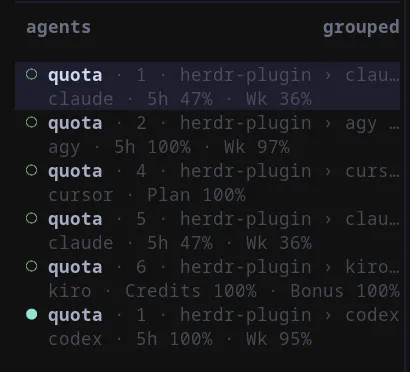
Shows usage in the Herdr sidebar, next to each agent pane. A Claude pane shows Claude numbers, a Codex pane shows Codex numbers.

  • Only fetches providers that have a pane on screen
  • Optional keybinding or watcher to keep numbers fresh
  • Needs quota-cli installed first
herdr plugin install pinkpixel-dev/quota/herdr-plugin
Plugin docs
The Herdr agents sidebar with Quota usage under each pane

The small stuff that adds up

What the desktop app does besides the dashboard.

Multiple accounts
Connect more than one account per provider and see them side by side.
Remaining or used
One setting flips every bar, percentage and tray line. Remaining is the default.
Pinned accounts
Pin accounts from a provider page and the dashboard shows those instead of the first two.
Provider order
Reorder providers or hide one from the dashboard without disconnecting it.
Reauthenticate in place
When a Codex, Claude Code or Grok login expires, the card keeps your last numbers and offers a Reauthenticate button.
Import local accounts
Pull in Codex, Antigravity, Kiro, Cursor and Grok accounts you already signed into.
Dark and light
System, dark or light theme. Dark uses the lime accent, light switches to amber.
Safe export
Export account summaries as JSON. Tokens and API keys never go in the file.

Stays on your machine

  • No Quota server, no account to make, and no analytics.
  • The desktop app keeps credentials in Rust-owned storage under ~/.quota. The interface only sees safe summaries.
  • quota-cli reads your agent CLIs' credentials and never writes to them.
How storage works

Download

The desktop app runs on Windows and Linux. There's no macOS build right now.

Quota 1.7.0 desktop downloads
PlatformPackageDownload
WindowsInstallerQuota_1.7.0_x64-setup.exeDownload
WindowsMSIQuota_1.7.0_x64_en-US.msiDownload
LinuxAppImageQuota_1.7.0_amd64.AppImageDownload
LinuxDebian / UbuntuQuota_1.7.0_amd64.debDownload
LinuxFedora / openSUSEQuota-1.7.0-1.x86_64.rpmDownload

Version 1.7.0 · SHA256SUMS.txt · Release notes

VS Code extension

Version 1.4.0

quota-cli

Version 0.2.1. Use cargo on a Mac.

cargo install quota-cli

Herdr plugin

Install quota-cli first.

herdr plugin install pinkpixel-dev/quota/herdr-plugin
All releases on GitHub